
















Click here to watch the full video:https://www.youtube.com/watch?v=d9vakPI3aw0
Staying connected while on the road is no longer a luxury; it's a necessity. Whether you're a digital nomad, a frequent traveler, or just someone who needs reliable internet outside the reach of your home Wi-Fi, you've likely faced the dilemma: should you use your phone as a hotspot, or invest in a dedicated laptop modem?
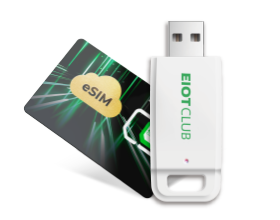
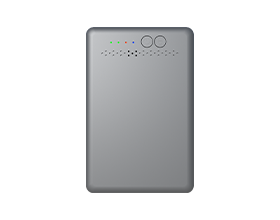
Today, we're taking a closer look at a very compelling solution: the EIOTCLUB USA 4G LTE WiFi 6 USB Dongle. Let's dive into how this little gadget might just be the perfect travel companion for your connectivity needs.

The Problem with Smartphone Hotspots
We all do it. When the Wi-Fi drops, we toggle on our phone's personal hotspot. While convenient for quick tasks, relying on your phone as a primary internet source has major drawbacks:
- Battery Drain: Hotspotting will kill your phone battery faster than almost anything else.
- Data Caps: Many mobile plans throttle your speed after a certain amount of hotspot data is used.
- Overheating: Constant data routing can cause your smartphone to overheat, potentially damaging the battery long-term.
This is where a dedicated USB modem steps in to save the day.
Enter the EIOTCLUB USA 4G LTE WiFi 6 USB Dongle
The EIOTCLUB dongle is designed to provide a seamless cellular connection directly to your devices. It acts as a bridge between cellular towers and your laptop, ensuring you have a stable, private internet connection wherever you go.

Key Features & Setup Process
One of the biggest selling points of the EIOTCLUB dongle is its plug-and-play nature. You don't need to be a tech wizard to get it running.
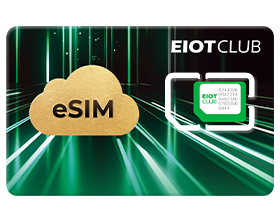
- Insert the SIM Card: The device supports standard data SIM cards.
- Plug it In: Simply insert the dongle into an available USB port on your laptop or a compatible power bank.
- Connect: The device automatically configures itself, and within moments, you are connected to a 4G LTE network.
It’s incredibly versatile. Because it draws power from the USB port, you can even plug it into a car charger or a portable power bank to create a mobile Wi-Fi hotspot for multiple devices, not just your laptop!

Performance and Reliability
In practical use, the EIOTCLUB dongle delivers solid 4G LTE speeds. While it won't compete with fiber-optic home broadband or 5G networks, it provides more than enough bandwidth for:
- Zoom calls and video conferencing
- Streaming HD videos
- Managing emails and heavy web browsing
The connection is generally more stable than a phone hotspot, as the dongle has dedicated internal antennas designed specifically for pulling in cellular signals.
Summary & Verdict
If you find yourself constantly battling terrible public Wi-Fi or draining your phone's battery to send a few emails on the go, a dedicated modem is a worthy investment.
| Pros | Cons |
| Plug-and-play simplicity | Limited to 4G LTE speeds (No 5G) |
| Saves smartphone battery life | Requires a separate data plan/SIM |
| Can act as a Wi-Fi hotspot via a power bank | Slightly bulky for ultra-thin laptops |
The EIOTCLUB USA 4G LTE WiFi 6 USB Dongle is a fantastic, cost-effective gadget that bridges the gap between being offline and draining your smartphone. It’s a simple, reliable tool that ensures you stay connected on your own terms.