
















A portable WiFi device can last from several hours to a full day on one charge. Runtime depends on battery capacity, cellular signal, connected devices, and the type of data activity you use.
How Long Can a Portable WiFi Device Battery Last?
Battery runtime depends first on capacity, then on how hard the hotspot works. A 3000mAh battery gives you a useful middle-range reference for travel WiFi, yet advertised hours remain an upper limit rather than a promise for every use pattern.
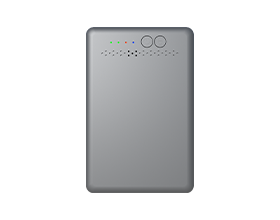
To put the numbers in context, the M47 portable WiFi hotspot provides a practical example of how battery capacity, advertised runtime, and charging requirements work together.
| Battery Detail | Why It Matters | M47 as a Reference | |
| Battery capacity | Shows how much energy the device can store. | 3000mAh Li-ion battery. | |
| Advertised runtime | Helps compare similar hotspots before purchase. | Up to 12 hours of 4G WiFi use. | |
| Charging input | Determines the compatible charging source. | Type-C USB, 5V/1A input. |
The M47 has a verified 3000mAh battery rating and an advertised runtime of up to 12 hours. Streaming, video calls, weak coverage, and several active devices can reduce the hours available from any hotspot.
What Affects Portable WiFi Device Battery Life?
Battery capacity, data activity, device settings, and location affect battery life. Each one changes how hard the hotspot works.
- Battery capacity: A larger battery can hold more power for longer sessions. Compare mAh ratings when looking at similar hotspot models.
- Data activity: Streaming video, cloud backups, game downloads, and video calls keep the cellular connection active for longer periods.
- Device settings: Models with an LCD display can use extra power when it stays on. Screen-free models may use indicator lights, a companion app, or a web dashboard for status checks. The M47 has a 1.7-inch LCD that turns off after 30 seconds of inactivity. It also enters a configurable power-saving mode after 10 minutes with no WiFi connection.
- WiFi settings: Guest access, frequent reconnecting, and extra wireless features can increase battery demand.
- Network type: A 4G LTE mobile hotspot uses cellular service to bring internet to your connected devices. The local network environment affects how much power the device needs.
A useful buying check includes battery capacity, supported cellular network, WiFi capacity, and charging port type. Those details matter more than a single advertised battery number.
How Do Connected Devices Affect Battery Life?
More active devices use more battery power because the hotspot handles more WiFi traffic. A phone checking messages creates a lighter load than several laptops streaming video at the same time.
A portable wifi hotspot device works as a connection hub for phones, tablets, laptops, cameras, and game consoles. Every connected device can request data, even when the screen looks idle. Background app updates, cloud syncing, and automatic photo uploads can keep the hotspot busy.
Use these checks when several people share one connection:
- Disconnect devices after use.
- Pause automatic app and system updates during travel.
- Save large downloads for a time when charging is available.
- Check which devices are currently connected.
- Limit high-definition streaming during long periods away from power.
The M47 supports up to 10 devices in total, including up to 9 through WiFi and one through USB. That capacity can suit shared travel internet or temporary backup WiFi, although active use still determines battery demand.
How Does Cellular Signal Strength Affect Battery Life?
A strong cellular signal can help a hotspot use battery power more efficiently. Weak coverage requires more connection effort and can shorten available runtime.
Use the following placement checks before a long call, video stream, or shared work session:
- Check the signal icon after arriving at your hotel, rental home, campsite, or temporary workspace.
- Place the hotspot on a table or shelf near a window when indoors.
- Keep the device clear of large metal objects, bags, and dense groups of electronics.
- Test a webpage or map after moving the hotspot, then keep it in the strongest practical location.
The FCC National Broadband Map compares reported 4G LTE and 5G outdoor coverage before travel. For model-specific planning, the M47 US version supports LTE bands B2, B4, B5, B12, B13, and B66.
Coverage maps help with trip planning, while the M47 screen helps with placement at your destination. Indoor signal can vary with building materials, terrain, and local network traffic.
How Can You Extend Portable WiFi Battery Life?
You can extend portable WiFi battery life through a few practical settings and habits. Focus on display use, wireless activity, data demand, and backup power.
- Use sleep mode. Many hotspots reduce activity during quiet periods.
- Turn WiFi off during breaks. Meetings, meals, and overnight stays can save battery.
- Schedule heavy data tasks around charging time. Streaming and large downloads use more power than maps, email, and messaging.
- Carry a power bank. Portable energy storage gives you backup power during flights, road trips, camping, and fieldwork.
- Charge before leaving home. A full battery gives you more flexibility during a busy day.
These steps work best together. Lower screen use alone helps, yet a strong signal and controlled data activity often have a larger effect during long sessions.
The M47 handles part of the idle-power work automatically. Use the M47 screen timeout and configurable power-saving setting to reduce idle power during breaks.
What Should You Know About Charging a Portable WiFi Device?
Use a compatible cable, a stable power source, and the correct input rating when charging a portable WiFi device. Charging details affect convenience, safety, and readiness for travel.
Use Compatible Charging Gear
Check the charging port and input rating listed on the device. Use the included cable when available, or choose a quality replacement that fits the port correctly. A damaged or loose cable can lead to slower charging. Charge the M47 through its Type-C port with a 5V/1A power source. Matching the stated input rating protects the battery and gives you a dependable way to recharge during a long day.
Keep the Device Cool
Charge the portable wifi hotspot in a dry area with airflow. A desk, table, or hotel nightstand offers a practical charging spot. Heat from direct sunlight or a warm car can affect charging performance.
Carry Backup Power
A power bank gives you portable energy storage for long drives, flights, camping, and outdoor work. Check the power bank output before connecting it to your hotspot. For air travel, keep lithium battery power banks in carry-on baggage under FAA lithium battery rules.
Charge the hotspot before leaving home and top it up during convenient breaks. That routine helps avoid a low battery during navigation, work calls, or shared internet use.
Keep Your Devices Connected Longer With the Right Portable WiFi Device
The right portable WiFi device fits your expected battery time, number of users, local network coverage, and charging routine. Compare verified battery capacity with real use patterns such as streaming, video calls, travel navigation, and shared connections.
A full charge, a strong signal location, and fewer background tasks can help you get more useful time from each battery cycle.
Portable WiFi Battery and Setup Questions
Q1: Does a Portable WiFi Device Need a SIM Card?
Yes. A cellular portable WiFi device needs a SIM card or eSIM with an active data plan. The M47 includes a pre-installed SIM and 1GB of trial data. Keep the installed SIM in place because the M47 specifications state that removing or replacing it can make the device unusable.
Q2: Can I Change the WiFi Name and Password on a Portable WiFi Device?
Yes, most portable WiFi devices let you change the WiFi name and password through a settings page or companion app. Connect a phone or computer to the hotspot, open the settings menu, then create a personal network name and strong password. Use a unique, strong password for the hotspot and avoid reusing it for other accounts. CISA’s password security advice supports stronger password practices for connected devices.
Q3: How Can I Check Data Usage on a Portable WiFi Device?
Check data usage through the hotspot screen, web dashboard, or companion app. Many models show daily and monthly totals, active connections, and remaining plan data. Set a usage alert near your plan limit if your device offers that feature. Regular checks help you manage large downloads, software updates, and video streaming before reaching the available data amount. The M47 web manager also shows connected clients, which can help you identify devices using the network. Press the selection button twice to display the refill QR code and open the top-up path.
Q4: Can I Connect to a Portable WiFi Device With a QR Code?
Yes, many newer portable WiFi devices support QR code connection. Scan the code with your phone camera, then follow the connection prompt. The code often includes the WiFi network name and password, which speeds up setup for family members or coworkers. Some devices show the code on screen, while others place it on a printed label.
Q5: What Is the Difference Between a Portable WiFi Device and a Phone Hotspot?
A portable WiFi device is designed for sharing cellular internet, while a phone hotspot uses your phone battery and mobile data plan. A dedicated hotspot can support several connected devices and keeps your phone available for calls, messages, photos, and apps. It can also serve as a separate connection for travel, work, or family use.