














Choose a tablet data plan by checking your tablet’s cellular hardware, network compatibility, local coverage, and usual data use. The right plan keeps maps, schoolwork, travel apps, video calls, and downloads available away from WiFi.
Does Your Tablet Support Cellular Data, a Physical SIM, or eSIM?
Only a WiFi + Cellular tablet can use a tablet data plan directly. A WiFi-only tablet needs WiFi or a separate hotspot for internet access.
Check your model name in Settings, on the original box, or in the device specifications. Cellular tablets usually use one of these options:
- Physical SIM: A small removable card placed in a SIM tray. Many tablet PC with SIM card models use a nano SIM.
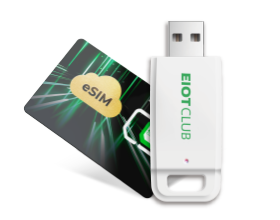
- eSIM: A digital SIM profile added through a QR code, app, or cellular settings.
- Both: Some newer tablets support eSIM and a physical SIM tray. Available options vary by model and region.
A cellular iPad needs an active plan before it can connect to mobile data. For supported models, set up cellular service through the tablet’s Cellular settings.
Check the hardware before comparing plans. A data plan works only with a tablet that has cellular capability.
Check Carrier Lock and U.S. Network Bands Before Choosing a Plan
Your tablet must be unlocked, support the plan’s network bands, and have coverage where you plan to use it. Check those three points before buying a plan.
| What to Check | Where to Look | Why It Matters |
|---|---|---|
| Carrier lock | Tablet settings, original carrier account, or device specifications | A locked tablet is limited to its original carrier. |
| LTE or 5G bands | Device specifications and plan details | Matching bands allow the tablet to connect to the mobile network. |
| Local coverage | FCC National Broadband Map | Reported coverage helps you compare 4G and 5G service near key locations. |
Coverage maps reflect outdoor and in-vehicle service. Building materials, terrain, and local network traffic can affect indoor performance.
Check carrier lock, network bands, and coverage in that order. Once all three match your tablet and regular locations, you can compare data amounts and plan validity with more confidence.
Estimate Data for Browsing, Video Calls, Streaming, and Downloads
Video streaming, video calls, and large downloads can use far more data than email, maps, or web browsing. Use the estimates below as a planning reference, then compare them with your tablet’s own cellular-data total.
| Activity | Estimated Data Use | Practical Planning Tip |
|---|---|---|
| About 20KB per message, or about 300KB with an attachment | Email has a small effect on most data plans. | |
| Web browsing | About 15MB per hour | Maps, articles, and general browsing usually use data slowly. |
| Social media | About 100MB to 360MB per hour | Autoplay video can raise usage quickly. |
| Music streaming | About 72MB per hour | Download playlists through WiFi before a trip. |
| Video calls | About 0.36GB to 0.86GB per hour | Turn off video when audio is enough for the call. |
| Standard-definition video | About 700MB per hour | Suitable for longer viewing on a limited plan. |
| High-definition video | About 2.5GB per hour | Check video quality before watching over cellular data. |
| 4K video | About 5.8GB per hour | Reserve for WiFi or a high-data plan. |
| File downloads | About the same as the file size | A 1GB file uses about 1GB of data. |
Video-call use depends on the app, camera status, call layout, and connection quality. Streaming use also changes with video resolution and automatic quality settings.
Check your tablet’s cellular-data total after a normal week. For compatible iPads, Low Data Mode pauses automatic updates and background tasks when WiFi is unavailable.
Match Data Allowance and Validity to How You Use Your Tablet
Choose a plan whose data limit exceeds your expected total use and whose validity lasts through your final day of service.
Use the following formula to set a target:
Target data = recorded daily usage × active days + data for planned video calls, updates, or downloads
For example, an average of 350MB per day over a six-day trip equals 2.1GB before extra data for streaming or downloads. A tablet using 1.8GB during seven normal days needs at least 7.2GB for four weeks, plus room for any planned high-data activity.
Validity is a separate check. A 30-day plan fits regular monthly use, while a 7-day plan suits a short trip. For occasional backup access, choose a longer-validity plan only when you expect to use the balance before it expires.
Use your recorded total and travel dates together. That gives you a concrete way to compare iPad cellular plans without relying on vague labels such as light or heavy use.
Set Up Mobile Data and Test the Connection
Set up mobile data through your tablet’s Cellular settings after you confirm that the SIM or eSIM and plan are compatible. Keep your tablet charged and connected to WiFi during setup in case an eSIM profile needs internet access.
- Insert the SIM card while the tablet is powered off, or add the eSIM through Cellular settings.
- Turn on Cellular Data.
- Enter the APN if your plan provides one. An APN is the network setting that connects your tablet to mobile data service.
- Wait for a network name, signal bars, or a 4G, LTE, or 5G icon.
- Open a webpage and load a map while WiFi is off to confirm that mobile data is active.
If mobile service does not appear, check SIM activation and APN spelling first. Then review the carrier-lock, network-band, and local-coverage checks before contacting support.
Setup is complete once a webpage and map load through cellular data. Keep your activation email or SIM packaging until the connection is active.
Keep Your Tablet Connected With a Plan That Fits Its Hardware and Usage
The best tablet data plan fits your tablet’s SIM type, unlocked status, supported bands, coverage area, and normal data use. Hardware compatibility comes first, followed by the data amount and expiration period that suit your routine.
For an unlocked compatible tablet, our prepaid data SIM can fit travel, backup internet, or flexible mobile access. Check your usage regularly, then use those numbers to choose your next plan.
Tablet Data Plan FAQs on Calls, WiFi, and Data Limits
Q1: Do Tablet Data Plans Include Voice Calls and Text Messages?
No. Tablet data plans usually provide mobile internet for browsing, email, maps, apps, streaming, and video calls. A cellular iPad can use FaceTime and messaging apps through data, while standard carrier voice calls usually need a phone number and voice plan. Calls through apps use your available data.
Q2: Will a Cellular Tablet Use Mobile Data When WiFi Is Available?
No. A cellular tablet usually connects to a saved WiFi network first. Some models include a setting that uses mobile data when WiFi is weak or crowded, which can raise data use. Check WiFi Assist or Connectivity Assist in Settings and turn it off if you prefer WiFi to handle internet access.
Q3: Can I Turn Off Cellular Data Without Removing My SIM or eSIM?
Yes. Open Settings, choose Cellular Data or Mobile Data, then switch the connection off. Your SIM or eSIM stays installed and remains ready for later use. Turning cellular data off can also reduce power used while the tablet searches for a mobile network, helping preserve stored battery energy.
Q4: What Happens If I Use All My Prepaid Data Before the Plan Expires?
Mobile internet may pause, slow down, or require a refill, depending on plan terms. WiFi continues to work normally. Check your plan dashboard before a trip, long video call, or large download. If refill options are available, you can add data before the current plan period ends.
Q5: Can One Prepaid Data Plan Be Used on More Than One Tablet?
No. A prepaid plan is linked to one SIM card or eSIM profile at a time. You may be able to move a physical SIM between compatible tablets, although only the tablet holding the SIM can use the plan. An eSIM usually remains assigned to the tablet where you installed it.