















You know those places where you'd like to put a security camera but can't because there's no Wi-Fi? Maybe it's a storage shed, a boat dock, or a construction site. Without internet, these spots stay unprotected. But there's a simple solution:4G security cameras work just like your phone—they use a SIM card for a security camera and a cellular signal instead of Wi-Fi. This means you can monitor any location that has cell coverage, no matter how far from your router. This guide will help you figure out if you need one and show you how to set it up, including picking the right camera and data plan.
How 4G Cameras Work Without Wi-Fi
Cellular technology is the answer to keeping an eye on places without internet. These cams work on their own and use the same networks that keep your phone online no matter where you are.
Built-In Cellular Radio and SIM Card
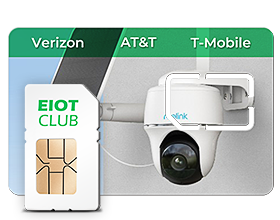
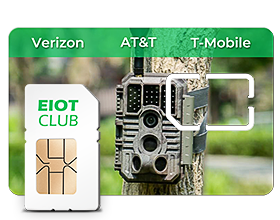
A 4G security camera works a lot like a smartphone that is only used for monitoring. There is a phone module and a spot for the security camera's SIM card inside the camera. The SIM card is the small chip that lets the camera connect to a cell network. When turned on, the camera connects straight to cell phone towers run by companies like AT&T, Verizon, and T-Mobile. Any data sent is handled by this cellular link, which sends motion-activated clips to your phone and lets you watch live from afar, without using the local internet infrastructure.
Power-Saving Features for Remote Locations
Because these cameras are often used in places without power outlets, the companies that make them include a number of features that use less power. Instead of staying connected all the time, the cameras only use their cell phones when they need to, like when there is motion or when someone is watching live. Most models also have processors that are energy-efficient and keep the video quality while using as little power as possible. These design choices can increase the battery's life from days to weeks or even months, based on how it is used and whether solar panels are used to power it.
Wi-Fi Cameras Need Your Router, 4G Cameras Don't
4G cameras are more network-compatible than WiFi cameras.Wi-Fi cameras depend entirely on your home or business network. They connect to your router, which means their performance hinges on your internet speed, router quality, and network stability. If your internet goes down, so does your camera. Their range is limited to your Wi-Fi coverage area, typically 150-300 feet from the router in ideal conditions.
4G cameras operate as independent devices on a cellular carrier's network. They maintain their own direct connection to cell towers, which can be miles away. This independence means local power outages or internet failures won't affect the camera's ability to transmit data, as long as the cellular network remains operational and the camera has power.
Do You Really Need a 4G Camera?
Not every situation calls for a cellular camera. Before investing in one, check if your specific needs match what these cameras do best.
Answer "Yes" to Any of These Questions? You Need One:
1. Is the location remote and without internet?
If there's no broadband service at the site—whether it's undeveloped land, a rural area, or simply too far from existing buildings—a 4G camera is your only remote monitoring option.
2. Is the property too large for practical Wi-Fi coverage?
Running ethernet cables or setting up Wi-Fi extenders across hundreds of feet costs thousands and requires power outlets along the way. If the distance makes traditional networking impractical, go cellular.
3. Is the surveillance temporary?
For construction projects lasting months or special events lasting days, installing internet service doesn't make sense. 4G cameras work immediately with month-to-month data plans.
4. Do you want security isolated from your main network?
Since 4G cameras never connect to your home or business network, they can't become entry points for hackers trying to access your computers or other devices.
Perfect Use Cases
- Rural & Agricultural: Monitor livestock in distant pastures, protect fuel tanks from theft, watch feed storage barns, and keep tabs on remote gate entrances where running power and internet would cost a fortune.
- Commercial & Industrial: Secure construction sites that change every few months, protect equipment in storage yards, and monitor utility sheds or pump stations in isolated locations.
- Recreational & Mobile: Check on boats during storms, watch RVs in storage lots, monitor seasonal cabins during the off-season, and protect campsites or hunting properties when you're not there.
- Real Estate: Guard vacant properties from vandalism and theft, verify contractor visits, monitor homes between tenants, and provide security during the sales process without setting up utilities.
If any of these scenarios match your situation, a 4G camera offers the most practical solution. The next step is choosing the right components to build a system that meets your specific monitoring needs.
The Three Essential Components of a 4G Camera System
A successful cellular camera setup requires more than just the camera itself. Three components work together to create a reliable surveillance system, and each needs careful consideration based on your specific location and monitoring goals.
Component 1: The Camera Hardware
Every 4G camera must have certain basic features, such as a resolution of at least 2K (2304x1296) so that people and cars can be clearly seen at night, night vision (either infrared for black-and-white or spotlight-enabled for color), and a field of view of at least 110° to avoid dark spots. Advanced models have PTZ (Pan-Tilt-Zoom) features for remote control and AI-powered detection that can tell the difference between people, cars, and animals to cut down on fake alarms. The camera must have at least an IP65 weather grade to be used outside and be able to handle rain, snow, and temperature changes from -4°F to 140°F.
Component 2: Power Options
Battery-powered cameras can be put anywhere, but they need to be charged every one to six months, based on how much they are used. Solar-powered setups use a small 5–10-watt panel and the camera's battery to run continuously in places that get 4–6 hours of straight sunlight every day. This is the best way to "set it and forget it." Direct AC power works the best, but you can only put it 50 to 100 feet from an outlet. This means it's best for watching buildings or covered areas with easy access to power.
Component 3: SIM Card for a Security Camera and Data Plan
Standard phone plans won't work with 4G cams; they need data-only or Internet of Things (IoT) plans from cell phone companies, which usually cost $10 to $50 a month. Pick your carrier based on how strong the signal is where the camera is, not because you like it. A 64GB or 128GB MicroSD card can store clips locally for several days, so recording can continue even when the network goes down. A $3–$10-a-month cloud storage subscription protects backups off-site, so proof is kept even if the camera is lost or stolen. It also lets you use features like a 30-day video history.
Strategic Deployment: A 3-Step Action Plan
With the components understood, successful installation comes down to proper planning and testing. These three steps, done in order, will save you from costly mistakes and ensure your camera works reliably from day one.
Step 1: Check Signal Strength for All Carriers at Your Mounting Location
Before buying anything, take your smartphone to the precAI-poweredise spot where you'll mount the camera. Check signal strength for all major carriers—Verizon, AT&T, T-Mobile—not just your current provider. Look for at least 2-3 bars consistently; one bar or intermittent service won't support reliable video transmission. Test at different times of day since signal strength can vary. If multiple carriers show strong signals, note which performs best. No signal from any carrier? A 4G camera won't work at that location, period.
Step 2: Start with a 1-2GB Monthly Plan and Adjust as Needed
After you’ve determined the best carriers for your location in Step 1, it’s time to find a plan. But what if multiple carriers have a decent signal, or you want maximum reliability? For this scenario, a smart solution is a multi-network SIM card that automatically connects to the strongest available signal.
Here are two excellent examples of this approach:
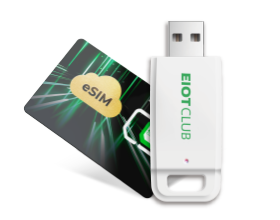
- If your location has coverage from Verizon, AT&T, and T-Mobile, a card like EIOTCLUB's 4G Triple-Network SIM Card is the ideal choice. It can intelligently switch between all three carriers, ensuring your camera stays connected even if one network’s signal fades. This completely removes the guesswork of committing to a single provider.
- If your camera is 5G-capable and the location is primarily served by AT&T and T-Mobile, the EIOTCLUB 5G & 4G Dual-Network SIM Card is a more advanced option. It allows your device to leverage faster 5G speeds when available while still retaining 4G as a reliable fallback.
Step 3: Activate and Test Your Camera at Ground Level First
After purchasing your camera and activating the SIM card, test everything at ground level before climbing ladders. Verify the camera connects to the network, the mobile app works properly, and motion detection triggers recordings as expected. This testing phase reveals any compatibility issues with your chosen carrier or app problems that need resolving. Once confirmed working, mount the camera permanently with clear sight lines to monitoring areas. For solar-powered units, ensure the panel faces south (in the Northern Hemisphere) with no shade during peak sun hours.
What 4G Cameras Actually Cost and How They Really Work
Before committing to a 4G camera system, understand the ongoing expenses and operational differences compared to traditional security cameras. These factors often surprise first-time buyers who expect cellular cameras to work exactly like their Wi-Fi counterparts.
Budget $10-50 Monthly Per Camera for Data Plans
Wi-Fi cameras use your current internet connection, but 4G cameras need their own cellular data plans all the time, not just when they are being set up. This is a monthly fee that runs from $10 for a basic plan with 1GB of data to $50 for an unlimited plan. Costs go up quickly when you add more cameras. For example, if you have three cameras, your monthly costs could go up by $30 to $150. You should plan for this ongoing cost the same way you would for an energy bill, since that's what it is.
These Cameras Record Events, Not Everything
4G cameras are great at finding and recording specific events, like someone walking up to your gate, a car pulling onto your land, or animals near your cabin. They're not made to record all the time like regular security systems are. Continuous streaming would quickly drain batteries and use up expensive cell data. Most models don't even have a choice for recording all the time. They're more like smart guards that turn on when something happens than eyes that can see everything and record it all.
4G Cameras Cost $200-500 (vs. $50-150 for Wi-Fi)
The cell technology inside 4G cameras makes the gear a lot more expensive. A good Wi-Fi camera might cost between $50 and $150, but a similar 4G camera costs between $200 and $500. Solar panels cost an extra $30 to $100. The extra cost is because it has a cell phone radio, a bigger battery, and more advanced power management tools. Cameras that cost less than $150 often have bad picture quality, links that don't work right, or weather sealing that isn't good enough.
Secure Your Wi-Fi Dead Zones With SIM Card Security Cameras!
With 4G cellular cameras, you can now use those valuable spots that are too far away from any internet link. These cameras can be used anywhere with a cell connection, like on farm equipment, a boat dock, or empty land. It's easy to set up: check the signal strength, get a data plan, and place the camera. They do require monthly data plans and cost more than Wi-Fi models, but they are the only practical way to watch from afar. Don't leave your valuables in faraway places unprotected.