




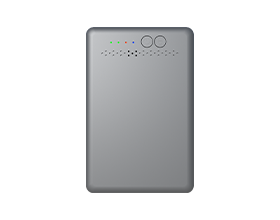












For enterprise retailers, the Toshiba TCx® series represents the gold standard of Point-of-Sale (POS) hardware. Whether it’s the robust TCx® 810 or the versatile TCx® 300, these machines are built for high-volume, mission-critical environments.
However, even the most powerful hardware is limited by its weakest link: the network connection. In an era where cloud-based retail management and real-time inventory syncing are mandatory, choosing a consumer-grade SIM card for your Toshiba fleet is a recipe for downtime.
In this guide, we dive into the technical nuances of fitting Toshiba TCx® terminals with EIOTCLUB POS SIM cards to ensure peak performance.
1. Physical Integration: Empowering the Wireless Module
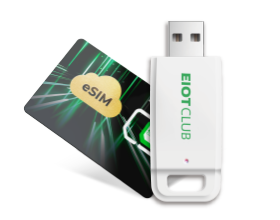
Toshiba TCx® terminals are designed with modularity in mind. To enable cellular connectivity, most retailers utilize the Toshiba Wireless LAN/Broadband options or external high-speed modems connected via Powered USB (SurePorts).
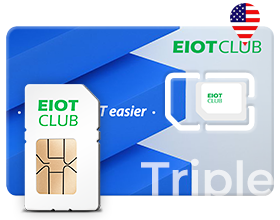
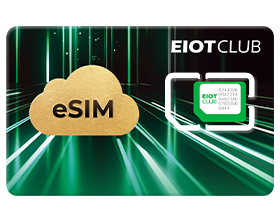
- Internal Integration: When installing an EIOTCLUB SIM into a Toshiba-certified 4G/5G module, our Triple-cut SIM — available in Standard, Micro, and Nano form factors — ensures compatibility with any internal SIM slot configuration.
- The Power of SurePorts: If you are using an external wireless gateway, Toshiba's 12V or 24V Powered USB ports provide continuous power to your connectivity hardware. This is especially valuable when paired with an EIOTCLUB SIM, which supports automatic reboot and reconnection protocols to recover from signal interruptions without manual intervention.
2. Software Configuration: APN Setup for EIOTCLUB SIM on TCx® Sky
Toshiba’s TCx® Sky is a retail-hardened operating system. Unlike standard Windows or Android environments, it requires precise network configurations to maintain its security and stability.
The APN Advantage
To get your Toshiba device online with EIOTCLUB, the Access Point Name (APN) configuration is the most vital step. While consumer SIMs often require complex manual troubleshooting, EIOTCLUB provides a streamlined APN setup that:
- Reduces Handshake Time: Minimizes the time it takes for the terminal to authenticate with the cell tower.
- Supports TCx® Sky Security: Our private APN options allow your Toshiba devices to communicate over a secure tunnel, keeping your OS updates and transaction data away from the public internet.
3. Performance Under Pressure: Latency and Concurrency
In a "busy hour" scenario—such as a supermarket on a Saturday afternoon—your POS system isn't just processing one payment. It is communicating with:
- The payment processor (Gateway).
- The inventory database (ERP).
- The loyalty program server.
Latency is the enemy of the checkout line. A 3-second delay in network authentication can cascade into a 30-second transaction timeout — a figure consistent with payment gateway SLA benchmarks. EIOTCLUB's multi-carrier switching automatically routes your Toshiba terminal to the network with the lowest latency (RTT), ensuring consistent sub-50ms response times on 4G/LTE. By maintaining low latency (typically <50ms on 4G/LTE), the TCx® series can handle high-concurrency requests without the dreaded "Transaction Pending" spinning wheel.
4. Remote Management for Fleet Deployment
Managing a single Toshiba terminal is easy; managing 500 across different regions is a challenge. Using the EIOTCLUB Management Portal, IT directors can:
- Monitor Signal Strength per Terminal: See which Toshiba units are struggling with local interference.
- Automated Data Alerts: Receive notifications before a high-traffic terminal hits its data limit, ensuring no "surprise" cut-offs during business hours.
- Device Binding: Ensure the SIM card works only with the assigned Toshiba terminal, preventing unauthorized use or data theft.
Conclusion: Don't Let a $5 SIM Sabotage a $5,000 POS
Your investment in Toshiba TCx® hardware is an investment in reliability. To maximize that ROI, the connectivity must be equally robust.
By pairing Toshiba’s world-class hardware with EIOTCLUB’s multi-carrier IoT connectivity, you create a resilient payment ecosystem that thrives in any environment—from the flagship store to the remote pop-up shop.