














Missed out on stadium tickets? Or stuck in transit between host cities while your favorite team is kicking off? You don't have to miss a single minute of the action. With 5G networks blanketing North America, your smartphone can instantly become a portable stadium.
This guide shows you exactly how to watch the World Cup live stream on mobile in full HD, profiles the official broadcasting platforms, and calculates how much data it takes to stream a football match so you can pick the perfect data plan before the tournament starts.
Part 1: Official World Cup Live Stream Apps in North America
To get crisp, zero-buffer HD streams without malicious ads, stick to the official broadcasters. When traveling through the USA, Canada, and Mexico, these are your go-to streaming options:
- Fox Sports App (USA): The official English-language broadcaster for the US market. Offers robust, high-bitrate streams perfect for live sports.
- Telemundo Deportes / Peacock (USA): If you want passionate, world-class Spanish commentary, Peacock streams Telemundo’s coverage beautifully.
- TSN / CTV Apps (Canada): The premier destination for Canadian viewers, providing comprehensive coverage of every match.
- VIX (Mexico): The definitive streaming platform for Mexico, broadcasting live matches directly to your mobile device.
Part 2: The Data Math: How Much Data to Stream a Football Match?
Live sports streaming is incredibly data-intensive because of the high frame rates (usually 60fps) required to keep up with a fast-moving football.
If you are away from Wi-Fi, here is roughly how much data to stream a football match (including the 90-minute game, halftime analysis, and a bit of pre-match coverage—approx. 2 hours total):
| Stream Quality | Resolution | Data Burn Per Hour | Total Data Used Per Match |
| Standard Definition (SD) | 480p | ~800 MB | ~1.6 GB |
| High Definition (HD) | 720p / 1080p | ~1.5 GB to 2.5 GB | ~3.0 GB to 5.0 GB |
| Ultra HD (4K) | 2160p | ~6.0 GB+ | ~12.0 GB+ |
📊 The Bottom Line: Watching just three matches in crisp HD on the go will easily wipe out a standard 10 GB to 15 GB local travel card. If you plan to stream group stage games while riding trains, sitting in buses, or waiting outside stadiums, your data consumption will skyrocket.
Part 3: Stream Without Limits: Choose Your World Cup Heavy-Data Plan
Don't let a "low data warning" pop up right during a penalty shootout. To watch live matches smoothly across the US, Canada, and Mexico without constant anxiety, you need a heavy-use prepaid profile built for sports fans.
Bypass the restricted local carrier tiers and lock in our high-capacity, multi-nation solutions:
- The Ultimate Finals Champion Plan (24 GB): Tailored for die-hard fans. This high-priority package gives you enough data to stream multiple complete matches in beautiful HD while leaving plenty of room for navigation, social media sharing, and video calls.
- The Uncapped High-Priority Network: Enjoy unrestricted 5G/4G LTE roaming across all three countries, ensuring your stream gets top-tier bandwidth even in busy metropolitan areas.
Select Your Streaming Freedom:
Whether your phone supports digital activation or needs a physical alternative, we have you covered:
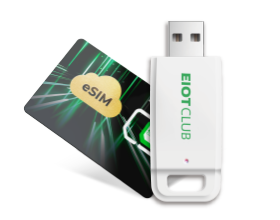
- Have an eSIM phone? Instantly download your high-capacity profile via a simple QR code before your flight.
- No eSIM support? Get the exact same high-priority, multi-country bandwidth by pre-ordering the BizGlobeLink 3-Country Physical SIM Card and have it delivered straight to your door before you travel.